

You know that moment when the server acts up right before a client call? Or when your one IT person is on leave and nobody knows the Wi-Fi password? Yeah. That stuff is more than a headache. It can hit your budget, slow growth, and leave your team stressed.
For many SMBs, the big question is simple, but not easy: do you build an in-house IT team, or go with managed IT services? One path feels safer because the people are yours. The other can feel smarter because you get help without hiring a full team. But this choice is not just about fixing laptops. It affects security, speed, and how fast your business can grow.
And the pressure is real. Research shows 47% of SMBs say their top challenge is securely bringing in new tech, and 48% reported security threats in the past year 2024 SMB IT challenges and security data. Plus, MSP use among SMBs has jumped fast. So if you're trying to choose between outsourcing IT support and keeping it in-house, you're not alone.
In this listicle, we'll compare managed service provider support vs. an in-house IT team across 7 key business factors. Cost. Security. Hiring. Speed. Growth. The whole picture. Let's make it practical.
1. Cost Structure: Predictable OpEx vs. Variable CapEx
Money talks. And IT bills can get weird fast.
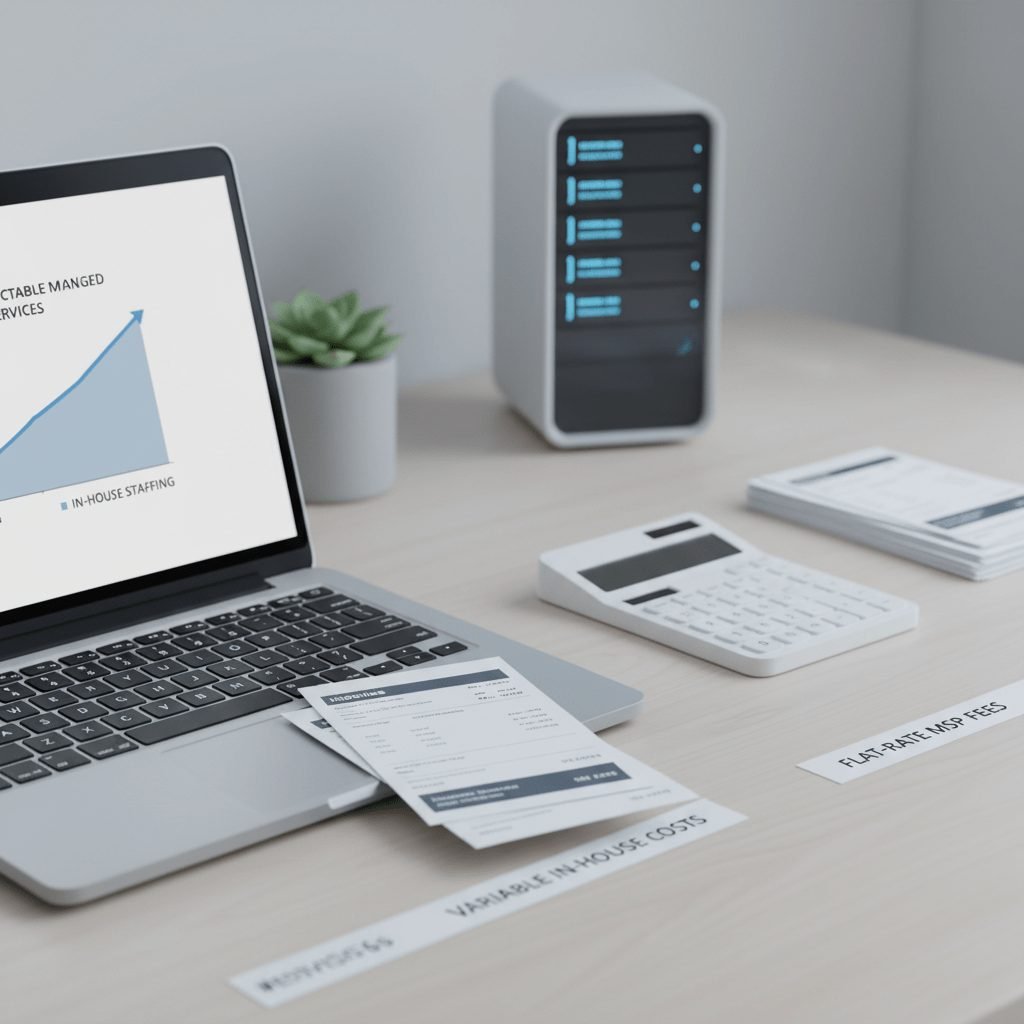
With managed IT services, you usually pay a set monthly fee. That means support, monitoring, updates, and tools are bundled into one steady cost. Nice and simple. For a growing business, that predictability helps a lot because you can plan ahead instead of getting blindsided by a surprise bill every time a server gets grumpy.
An in-house IT team looks different. You’re not just paying salary. You’re also covering benefits, payroll taxes, training, recruiting, and often software licenses or extra tools. A mid-level IT hire can land around $130,000 to $165,000 a year once the full load is added in, while managed IT services for a 50-person company often land around $94,000 a year. That gap can be real money for an SMB.
But wait, there’s more. The hidden costs can hurt too.
If someone quits, you’re back to hiring. That can take weeks, sometimes longer. And while the role is empty, work piles up. Tickets slow down. Security tasks slip. People start doing “just this one thing” in Excel because nobody has time to clean it up. Plus, you may still need special tools for backups, endpoint protection, or IT infrastructure management, which adds another layer of spend.
Here’s a quick side-by-side look:
Cost area | Managed IT services | In-house IT team |
|---|---|---|
Monthly spend | Set fee | Changes with hiring and projects |
Staff cost | Included in service | Salary, benefits, taxes |
Tools and software | Often bundled | Usually extra |
Surprise expenses | Lower | Higher |
Scaling up | Easier to budget | New hires, new costs |
For many SMBs, that steady OpEx model is one of the biggest benefits of managed services. Especially if you want business IT support without turning every upgrade into a mini finance meeting.
And for manufacturing teams like Cluxn works with, this matters even more. A plant that’s growing from ₹5 Cr to ₹50 Cr doesn’t need random tech spend. It needs clear cost control, fewer disconnected systems, and IT management solutions that fit the way the business already runs. Because nobody wants a fancy setup that breaks the floor flow. Nobody.
2. Access to Expertise & Specialized Skills
Ever had that one person who "knows IT" go on leave, and then everything gets weird? Printers stop talking. The VPN acts up. Someone asks about cloud backups and suddenly the room gets very quiet. Funny how fast one missing person can expose the whole setup.
That’s where managed IT services usually shine. You’re not paying for one generalist and hoping they’ve seen everything. You get a managed service provider with a deeper bench. Cybersecurity, cloud support, network engineering, maybe even compliance help. It’s like hiring one team, but only writing one check.
That matters a lot for SMBs. In 2024, 76% of SMBs said they don’t have the in-house skill set to handle cybersecurity well, and MSP use among SMBs has jumped from 74% in 2020 to 94% in 2024 SMB cybersecurity and MSP adoption data. So yeah, this is not just a nice-to-have. It’s a real gap.
An in-house IT team can be great too, but it has limits. If your team has two or three people, the knowledge stays inside that small group. One person may know the network. Another knows the ERP. But if nobody knows cloud security or backup recovery deeply, you’ve got a skill gap. And if your best person quits? Oof. That’s a problem.
Then there’s the training treadmill. New tools. New threats. New compliance rules. New systems your factory added because someone in sales promised a fast rollout (we’ve all seen that movie). Keeping an in-house team current costs time and money, and for smaller manufacturers, that can get out of hand fast.
Here’s the simple version:
Team setup | What you get | What can go wrong |
|---|---|---|
Managed IT services | Access to specialists across security, cloud, and networks | Less day-to-day control |
In-house IT team | People who know your business inside out | Skill gaps and single points of failure |
For manufacturers, this can be a big deal. Cluxn works with MSME teams that need IT management solutions, automation, and workflow fixes that actually fit the shop floor. Not a fancy stack that looks good in a pitch deck and then falls apart when the second shift starts. Real business IT support should help you run smoother, not create more cleanup work.
If you’re stuck with one overworked IT person, or your team keeps patching problems instead of fixing them, it may be time to look at outsourcing IT support with the right managed service provider. Not because in-house is bad. But because nobody should be the only person who knows how everything works. That’s stressful. And pretty risky too.
3. Scalability and Business Agility
You know that moment when growth shows up faster than your systems can handle it? One new location. Ten more users. A hybrid team that wants files from home, the plant, and a laptop in the car on the way to a client meeting. Suddenly, the old setup feels tiny.
That’s where managed IT services usually make life easier. You can scale the contract up or down without rebuilding your whole IT team. Add users. Add devices. Add a second site in Pune, Sharjah, or Texas. Plus, if your team shifts more remote or hybrid, a managed service provider can usually adjust support, access, and security services pretty fast.
And that speed matters. SMBs are already dealing with big pressure around new tech and security, with 47% saying securely bringing in new technology is their top challenge and 48% reporting security threats in the past year SMB IT challenges and security data.
An in-house IT team can grow too, sure. But it’s slower and more rigid. You need to hire, onboard, train, and then hope the new person fits. That can take 41 to 45 days for a typical IT role, and often much longer for tougher technical jobs. Downsizing is rough too. Nobody likes that part. Nobody.
Here’s the plain truth: managed IT services give you more room to move. If orders spike, you can add support fast. If business slows, you can trim the contract without layoffs and bad feelings. That kind of flexibility helps you react to customer demand, new compliance needs, or a surprise factory expansion without waiting on a hiring cycle.
For manufacturers, this is a big deal. Cluxn works with MSMEs that need IT management solutions, automation, and workflow fixes that don’t break the shop floor. When your business adds a plant, a new shift, or a sales team in another country, you want business IT support that bends with you, not a setup that snaps the second things change.
Growth need | Managed IT services | In-house IT team |
|---|---|---|
Add users or devices | Fast and simple | New hiring or overload |
Open a new location | Easier to expand support | More staffing and planning |
Shift to remote or hybrid work | Usually easier to adapt | Slower policy and tool changes |
Downsize | Contract can scale back | Layoffs or unused payroll |
Move quickly on new chances | More agile | More fixed structure |
So if your business is growing, changing, or just trying to stop tripping over old systems, outsourcing IT support can give you breathing room. And breathing room is nice. Especially when the floor is busy, the phones won’t stop, and someone just asked for a report by 5 PM.

4. Cybersecurity Posture & Compliance Management
You know that sinking feeling when a login looks wrong, but no one is quite sure why? That tiny moment can turn into a very big mess. Fast.
This is where managed IT services can really pull ahead. A strong managed service provider often brings security tools that most SMBs would never buy on their own. Think endpoint protection, threat monitoring, regular scans, and sometimes a full Security Operations Center, or SOC. That last one is a big deal. It means trained people are watching for bad activity day and night, instead of hoping someone notices on Monday morning.
For a lot of smaller businesses, that kind of setup is just out of reach if you build it in-house. The tools alone can cost a lot, and the people to run them cost even more. So the choice becomes pretty clear: pay for a full security stack yourself, or work with a provider that already has it in place.
And there’s another layer here. Compliance.
If your business has to think about HIPAA, GDPR, or CMMC, a stretched-thin in-house IT team can get buried fast. Patch this. Document that. Prove backups. Track access. Review logs. Then do it all again next month. It never really ends, does it? A team of one or two people usually can’t keep up with all of that and still handle daily support.
That’s why security-focused outsourcing IT support can feel like a weight off your shoulders. You’re not handing over all the risk, but you are sharing a lot of the admin work and some of the pressure. Plus, you get help keeping controls in place, which helps reduce the chance of a painful surprise later.
Security area | Managed IT services | In-house IT team |
|---|---|---|
24/7 monitoring | Often included | Hard to staff around the clock |
SOC access | Sometimes available | Usually too expensive for SMBs |
Compliance tracking | Guided support | Manual work for a small team |
Security tools | Bundled or shared | Bought and managed separately |
Breach response | Faster help from specialists | Slower if skills are limited |
The numbers back up the pressure SMBs are under. IDC data says 47% of SMBs call securely bringing in new tech their top challenge, and 48% reported security threats in the past year 2024 SMB IT challenges and security data. That’s not a small headache. That’s a daily risk.
For manufacturers, this matters even more. Cluxn works with MSME teams that need IT management solutions and cybersecurity services for SMBs that fit the way the shop floor already runs. Not another tool that adds noise. Real protection. Real visibility. Less chaos.
And if you’re trying to figure out whether your current setup is enough, ask one simple question: if your best IT person took a week off tomorrow, would your security posture still hold? If the answer is no, it may be time to look at managed IT services that bring both protection and breathing room.## 5. Proactive Maintenance vs. Reactive Firefighting
You know that awful feeling when a printer dies right before dispatch? Or when the Wi-Fi drops and half the office starts waving hands like it’s a fire drill? Yep. That’s usually what a small IT team spends its day chasing.
That’s the big difference with managed IT services. A good managed service provider doesn’t wait for things to break. They watch systems all day and all night, patch software on schedule, and run regular maintenance so small issues don’t turn into loud, expensive ones. That’s proactive IT infrastructure management. Quiet work. Big payoff.
A lot of in-house IT teams in SMBs end up in break-fix mode. One ticket. Then another. Then a password reset, a server alert, a laptop crash, and a mystery network issue nobody has time to fully trace. And once that starts, the day disappears fast. Pretty much gone.
Here’s the thing though: proactive care usually means fewer surprises. That can lead to better uptime, smoother employee work, and less downtime that ruins everyone’s mood at 4:45 PM. When systems stay healthy, people spend more time doing their actual jobs instead of waiting on someone to “just check one thing.”
Approach | What happens day to day | Business impact |
|---|---|---|
Managed IT services | 24/7 monitoring, scheduled patching, planned upkeep | Fewer outages, steadier work, less stress |
In-house break-fix mode | Fixes come after something fails | More interruptions, more delay, more fire drills |
For manufacturers, this really matters. Cluxn works with MSME teams that want IT management solutions and business IT support that fit the floor, not fight it. Because when your systems are patched, watched, and kept in shape, your team can keep production moving without random tech drama. And that’s the whole point, right?
Actually, wait, there’s a better way to say it: proactive support gives you breathing room. And in business, breathing room is gold.
6. Strategic Focus & Business Innovation
Ever notice how tech problems love bad timing? The laptop freezes right as a quote is due. The ERP screen spins forever. Someone from sales walks over with that look. And suddenly, the day is gone.
That’s one of the quieter benefits of managed IT services. When outsourcing IT support handles the day-to-day mess, your leaders and staff get time back for the work that actually brings in money. Quotes. Customer calls. Plant planning. Vendor talks. The stuff that moves the needle. Not password resets. Not “why is the printer blinking again?”
A strong managed service provider can also bring in a virtual CIO, or vCIO. Think of it like having a tech advisor without paying for a full-time executive. They help map out what should come next, what to fix now, and what can wait. For a manufacturer, that might mean a clearer ERP plan, better reporting, tighter security, or cleaner IT management solutions that match the way the floor really runs.
And that outside view matters more than people think.
What you get | Managed IT services | In-house IT team |
|---|---|---|
Day-to-day support | Handled by the MSP | Pulled from the same small team |
Tech planning | vCIO-style advice and roadmaps | Depends on who’s available |
New ideas | Lessons from many clients | Mostly from one company’s world |
Business focus | More time for growth work | More time spent fixing problems |
A lot of internal teams do good work. But they can also get stuck in the same habits for years. Same tools. Same shortcuts. Same old “we’ve always done it this way.” That’s where a fresh pair of eyes can help. A managed service provider sees what works across different sites, different systems, and different industries. So the advice tends to be wider, and sometimes a lot braver.
For MSME manufacturers, that can be a big deal. Cluxn works with businesses that need business IT support, automation, and workflow optimization that fit the shop floor instead of fighting it. If your current setup has you hopping between Tally, Excel, WhatsApp, and three half-finished reports, a better tech plan can free up time for real business moves. More capacity. Better visibility. Fewer weird gaps.
And the best part? You don’t have to become the human glue holding every system together. That’s not a job title anyone asks for. But it happens all the time.
If your team is spending too much time fixing tools instead of using them, it may be time to look at managed IT services that bring both support and strategy. Not just repair work. Real direction.
7. Uptime & Around-the-Clock Availability
Ever had a server go down at 11:40 PM, right when nobody’s around to fix it? Not fun. And if your team works across time zones, or your plant runs after hours, that little outage can turn into a messy morning fast.
This is where managed IT services can feel like a lifesaver. Many managed service providers offer 24/7/365 helpdesk support, so someone is there when the trouble starts, not after breakfast. That matters for remote staff, night shifts, overseas teams, and any business that does not live neatly inside a 9-to-5 box.
An in-house IT team usually can’t match that. People take vacations. They get sick. They go home. And after-hours support often lands on one person who is “on call” all the time, which sounds okay until you realize it burns people out pretty fast. Not exactly a great long-term plan.
Here’s the real payoff: faster response means less downtime, fewer lost orders, and less damage to your name. If a customer can’t reach your system, or your production line stops waiting on a ticket, the cost shows up quickly. Reputational hits are sneaky like that. One bad night can echo for weeks.
Support need | Managed IT services | In-house IT team |
|---|---|---|
Nights and weekends | Often 24/7 staffed helpdesk | Usually limited coverage |
Vacation and sick leave | Coverage stays in place | Support gaps can open up |
Remote teams | Easier to support across time zones | Harder with small teams |
Critical outage response | Faster escalation | Often one person on call |
For MSME manufacturers, this is a big deal. Cluxn helps teams with business IT support, IT management solutions, and outsourcing IT support that fit the way the floor already works. So if your business can’t afford to wait until Monday morning for help, maybe it’s time to look at managed IT services that keep watch when your team logs off.
At a Glance: Managed IT Services vs. In-House IT
Here’s the short version. If you want a quick scan, this table does the heavy lifting.
Factor | In-House IT Team | Managed Service Provider |
|---|---|---|
Cost | Salary, benefits, tools, training | Set monthly fee, easier to plan |
Skills | Limited to who you hire | Access to more specialists |
Growth | Slower to scale | Easier to add users, sites, and support |
Security | Often stretched thin | Cybersecurity services for SMBs, monitoring, and response |
Maintenance | Mostly reactive | More proactive IT infrastructure management |
Focus | Day-to-day tickets and fires | Frees your team for core work |
After-hours support | Hard to cover | Often 24/7 help is available |
The big takeaway? An in-house IT team can know your business very well. But managed IT services usually give you more breathing room, wider expertise, and steadier support.
And for SMBs, that matters a lot. IDC says 47% of SMBs say securely bringing in new tech is their top challenge, and 48% reported security threats in the past year 2024 SMB IT challenges and security data.
If you’re still stuck, ask this simple question: do you need one trusted person, or a full managed service provider team that can grow with you?
Which IT Model is Right for Your Business?
Here’s the simple truth. One choice is not “better” for everyone. It’s about fit.
If you’re a large enterprise with very custom software, a deep internal tech need, and a big enough budget, an in-house IT team might make sense. You get people who know your systems inside out. Nice. But for most SMBs, especially manufacturers trying to keep costs steady and growth on track, managed IT services usually bring more breathing room.
Why? Because you get predictable cost, stronger coverage, and access to a wider skill set without hiring for every single role. And with SMBs under pressure from security and tech changes, that matters. IDC reports that 47% of SMBs say securely bringing in new tech is their top challenge, and 48% had security threats in the past year 2024 SMB IT challenges and security data.
So here’s the quick way to think about it:
Choose in-house if your business is big, highly specialized, and needs hands-on control every day.
Choose managed IT services if you want cost control, better security, and a setup that can grow with you.
For MSME manufacturers, Cluxn helps bridge that gap with IT management solutions, automation, website work, ERP support, and workflow fixes that fit your current operations. No messy system sprawl. No disconnected tools. Just IT that works with the way your business already runs.
If you’re still unsure, don’t guess. Get a free IT assessment, check where your gaps are, and see which model fits your size, budget, and risk level. That one step can save a lot of pain later. And honestly, that’s a pretty good place to start.