
Ever seen a plant manager staring at Excel at 9:40 p.m. because the ERP can’t tell him where a job is? Yeah. That happens a lot.
Small manufacturers usually don’t start with ERP. They start with QuickBooks, a few spreadsheets, maybe WhatsApp groups, and a very patient accountant. It works for a while. Then orders grow, jobs get more complex, and the cracks show fast. Quotes take too long. Stock looks fine on paper but not on the floor. And someone is always asking, “Which version is right?”
That’s the real pain point. Basic accounting tools can track money, but they usually can’t handle the day-to-day mess of manufacturing. Things like BOM changes, work-in-progress, job work, quality checks, and shop floor updates get shoved into manual workarounds. In one Panorama Consulting report, over 60% of manufacturers still rely on spreadsheets alongside ERP just to fill the gaps Panorama Consulting ERP report.
But here’s the bigger issue. A lot of ERP software for small manufacturers comes in a rigid box. The system expects your factory to fit its mold. Your process gets forced into someone else’s template. And honestly, that’s backwards.
Actually, wait, there’s a better way to think about it. The best erp for small business manufacturing isn’t the flashiest one. It’s the one that fits your work, bends where it should, and doesn’t make your team hate using it.
This guide will help you figure out how to choose erp for manufacturing by looking at what should be configured, what really needs customization, and where vendors try to overcomplicate things. No generic top-10 list. Just a clear way to judge what’s right for your shop.
If you’re comparing customizable erp for manufacturing options, we’ll keep it simple. Read this like a floor-side checklist. And if you’re already feeling stuck between spreadsheets and a half-used system, you’re in the right place.
Configuration vs. Customization: The Most Important Choice You'll Make
This is where a lot of factory software goes sideways. Not because the ERP is bad. But because people jump to custom code too fast.
Let’s keep it simple. Configuration means using the ERP’s own settings, fields, modules, and toggles to match your process. No source code changes. No developer drama. Just smart setup. That usually includes things like adding a field for lot purity, changing a workflow step, or turning on a module for job work. It’s safer, cheaper, and your vendor still supports it.
Customization is different. That means writing code or scripts to change how the ERP works, or to build something it doesn’t already do. Powerful? Yes. Cheap? Not really. Also, every custom feature becomes one more thing to test, fix, and explain later.
Here’s the part many small manufacturers learn the hard way. They ask for custom work before they’ve even tried the built-in options. Then the bill grows, the timeline slips, and the team still ends up using Excel for the messy bits. That’s not rare. Panorama’s ERP research found over 60% of manufacturers still keep spreadsheets beside ERP to cover gaps Panorama Consulting ERP report.
So what should you do first? Start with configuration. Always. Ask, “Can the standard module handle this with a setting, field, or workflow?” If yes, stop there. Save custom development for the stuff that truly makes your factory different.
Choice | What it means | Why it matters |
|---|---|---|
Configuration | Built-in settings and fields | Lower cost, faster setup, easier upgrades |
Customization | New code or scripts | More power, but higher risk and upkeep |
That order matters a lot for erp implementation for small business. Especially if you’re looking for affordable manufacturing erp or cloud erp for manufacturing that won’t turn into a money pit six months later.
And if a vendor pushes custom work first? Big red flag. Not a feature. A red flag.
If you want help sorting this out, Cluxn works with MSME manufacturers to shape ERP, automation, and workflow tools around how the plant already runs. That way, you get a customizable erp for manufacturing without turning your system into a science project.
Key Areas Where Customization Matters in a Manufacturing ERP System
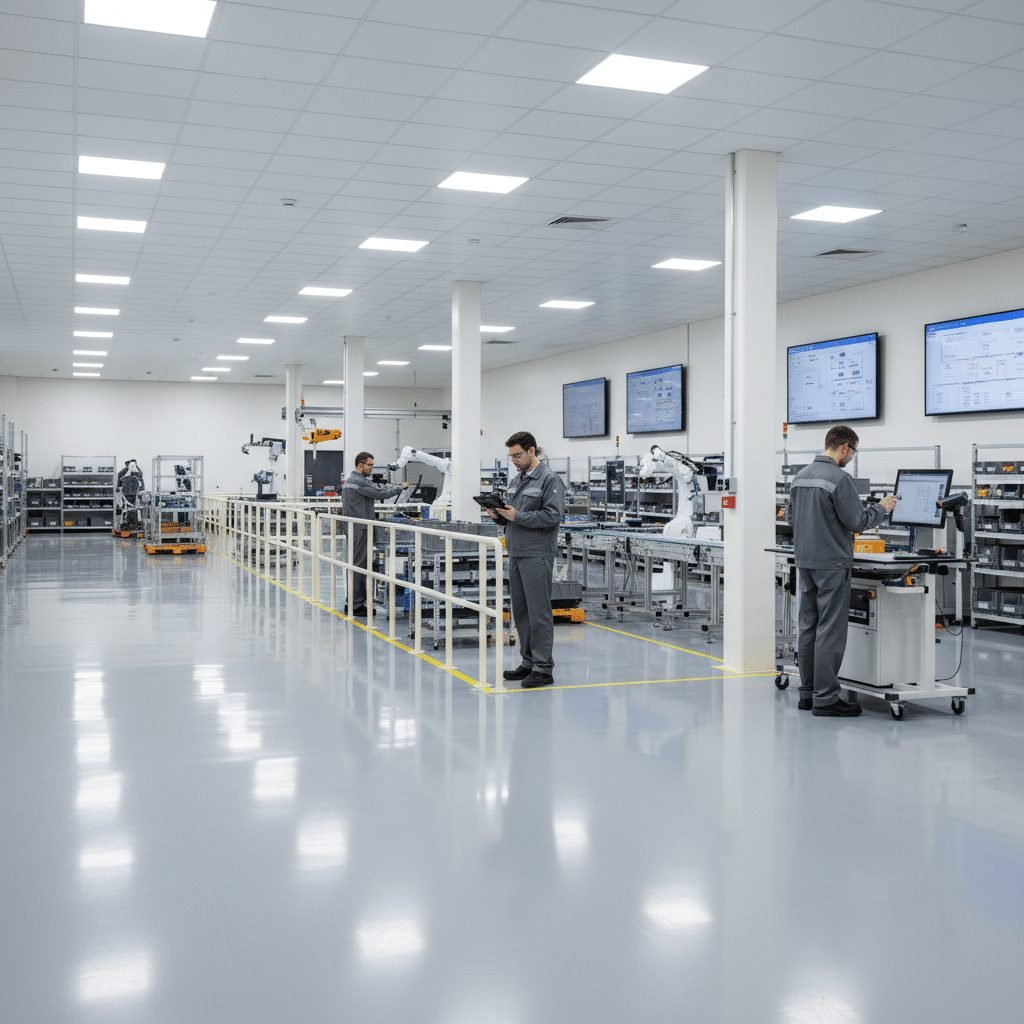
You know that moment when a job looks simple on paper, then the shop floor turns it into a puzzle? That’s where generic ERP software starts sweating.
For the best erp for small business manufacturing, the real test isn’t the login screen. It’s whether the system can handle the messy parts of your plant without forcing your team back to Excel at 9 p.m. And yes, that happens more than people admit.
1) Bill of Materials and routings
This is usually the first place factories hit a wall. A standard BOM may work for basic assembly, but many small manufacturers need multi-level BOMs, phantom BOMs, co-products, and alternate routings for custom jobs. If you run a job shop or process plant, you already know one “standard” route is often a joke.
Think of a metal fabricator that makes one part three different ways depending on the customer spec. Or a pharma unit that swaps a process step because of batch size. That’s not rare. That’s Tuesday.
So yes, erp features for manufacturing need room for variation. Sometimes configuration is enough. But if your routings change by customer, machine, or material grade, you may need light customization in your manufacturing ERP system so planners aren’t rebuilding the same job ten times.
2) Shop floor control and data collection
This one matters a lot because bad shop floor data turns into bad decisions fast. If your team is typing on a tablet, scanning barcodes, or logging output at a machine, the input screen has to match how they work. Not how the software designer imagined they work.
A good cloud erp for manufacturing should let you configure fields for scrap reasons, machine downtime, rework codes, operator sign-off, and quality checks. Sometimes built-in settings do the job. But if your floor needs custom touchscreens or barcode flows, that’s where customizable erp for manufacturing starts paying off.
And here’s the thing. When a system fits the shop floor, people use it. When it doesn’t, they just “fix it later” in a notebook or spreadsheet. We’ve all seen that movie.
3) Inventory and quality management
Inventory looks simple until you need lot traceability, bin-level control, or FIFO by lot. Then the cracks show. Fast.
Many manufacturers need tailored inventory logic for different materials, storage zones, or expiry rules. A food processor may care about batch expiry and hold status. A pharma or API unit may need batch traceability and quality sign-off tied to every movement. And if you work under ISO 9001, FDA, or similar rules, the reports can’t be guesswork.
A strong manufacturing ERP system should handle quality holds, rejection flows, audit trails, and compliance reports without a pile of manual work. In a Panorama Consulting ERP report, over 60% of manufacturers said they still use spreadsheets beside ERP to cover software gaps. That’s a pretty loud sign that the base system often needs more fit.
A quick way to think about it
Area | Usually needs | Why it matters |
|---|---|---|
BOM and routings | Configuration first, then custom logic if needed | Keeps planning real for custom jobs |
Shop floor data | Custom fields, screens, and scanner flows | Improves live reporting and less paper |
Inventory and quality | Lot rules, bin logic, compliance workflows | Helps traceability and audit readiness |
If you’re figuring out how to choose erp for manufacturing, ask one simple question: does this ERP adapt to my process, or does my team have to bend every day? That question saves time, money, and a lot of frustration.
Cluxn helps MSME manufacturers shape ERP, automation, and workflow tools around how the plant already runs. So if you’re comparing erp software for small manufacturers and want a setup that actually fits the floor, that’s a good place to start.
How to Evaluate an ERP's Customization & Integration Capabilities
You know that sinking feeling when a vendor says, “Oh yes, it can do that,” and then the demo gets weirdly quiet? Yeah. Been there.
For the best erp for small business manufacturing, you’re not just buying screens and reports. You’re buying fit. And fit shows up in three places fast: APIs, the development platform, and the partner ecosystem.
1) Check the API setup first
If an ERP has a strong, well-documented API, that’s a pretty good sign it was built for real business use, not just pretty demos. APIs let your ERP talk to other tools without hacking the core system apart. That matters if you use CAD, PLM, shipping apps, barcode scanners, or even a simple ecommerce stack.
Think of it like this. A good cloud erp for manufacturing should connect cleanly to the rest of your shop. If the vendor says every link needs custom code, ask why. And then ask again.
Here are a few simple questions to ask:
Is the API fully documented?
Is it REST, not some older rigid setup?
Can I test it in a sandbox?
Are there rate limits or call caps?
Do you already have connectors for tools like Shopify, Salesforce, or shipping carriers?
REST APIs are usually easier to work with than SOAP APIs. SOAP is older and fussier. REST is more like a normal plug that fits lots of things. For a quick explainer, MuleSoft’s comparison of REST vs SOAP APIs is handy.
2) Look at the development tools
This part matters if your factory has real process quirks. Not every need should become a giant custom project. Sometimes you just need a low-code or no-code tool inside the ERP so your team can adjust forms, workflows, or screens without calling a developer every time.
That’s why platforms like NetSuite’s SuiteCloud or Acumatica’s xRP get attention. They give you room to build without going full chaos mode. Actually, scratch that. They give you room to build without turning every small change into a six-week IT ticket.
A good rule: configuration first, light customization second, heavy code only when the process is truly different.
3) Check the marketplace and partner network
This one gets missed a lot. A strong ERP should have certified partners and a marketplace with pre-built add-ons. Why does that matter? Because sometimes you don’t need a custom build at all. You just need a good add-on for reporting, warehouse scanning, forecasting, or tax rules.
That can save a ton of time and money. Plus, it usually keeps you out of long development cycles that nobody enjoys.
Here’s a simple comparison:
Area | What to look for | Why it helps |
|---|---|---|
APIs | REST, docs, sandbox, connectors | Easier integrations, less core code change |
Development tools | Low-code or no-code platform | Faster custom work, safer updates |
Marketplace | Certified apps and partners | More options without starting from zero |
If you’re asking how to choose erp for manufacturing, this is a big filter. A good system should connect to your shop, not trap you inside it.
And if you’re comparing erp software for small manufacturers, don’t just ask, “Can it do the job?” Ask, “Can it grow with us without breaking every time we add one more machine, one more customer, or one more barcode scan?” That’s the real test.
Cluxn works with MSME manufacturers to build ERP, automation, and workflow setups that connect cleanly with the way the plant already runs. So if you need a customizable erp for manufacturing that won’t turn into a support headache later, it’s worth looking at the whole fit, not just the feature list.
Comparing Customizable ERP Software for Small Manufacturers

If you’ve ever sat through an ERP demo and thought, “Wait... that’s it?”, you’re not alone. A lot of small manufacturers hit that moment. The screens look nice. The charts look clean. But then you ask about shop floor changes, custom BOMs, or a weird quality step your plant needs, and the room gets very quiet.
So let’s talk plainly. The best erp for small business manufacturing is not the one with the loudest sales pitch. It’s the one that fits your process, gives you room to grow, and won’t turn every small change into a six-week project.
Here’s a quick side-by-side look at four names that come up a lot: NetSuite, Acumatica, Odoo, and Katana.
ERP | Best for | Configuration | Deeper customization | Watch out for |
|---|---|---|---|---|
NetSuite | Growing manufacturers with complex needs | Strong built-in settings and workflows | Good, but often needs SuiteScript help | Custom work can get pricey fast |
Acumatica | Mid-sized manufacturers that want flexibility | Very strong low-code setup | Good API and xRP platform | Best results need a partner who knows the platform |
Odoo | Teams that want open-source freedom | Flexible enough for many standard flows | Very high, if you have technical help | Can get messy without solid dev support |
Katana | Smaller teams with simpler workflows | Easy to use and quick to set up | Limited compared with the others | Not built for heavy process changes |
NetSuite: Strong when your factory has lots of moving parts
NetSuite is a name many people hear early, especially if they’re looking at a cloud erp for manufacturing that can grow with them. It comes with solid manufacturing features out of the box, like BOMs, work orders, inventory control, and order management. It also has SuiteBuilder for no-code setup, SuiteFlow for workflow changes, and SuiteScript for deeper custom work.
That mix is handy. You can often start with configuration, then add custom logic only where you really need it. Good news, right? But here’s the catch. Once you go deep into custom scripting, support and upgrades can take more planning. So if your team likes control but doesn’t want a giant IT project, keep the custom side tight.
NetSuite tends to fit growing manufacturers that have outgrown simpler tools and need a more serious manufacturing ERP system.
Acumatica: Great if you want flexibility without per-user pain
Acumatica gets a lot of love from teams that want a customizable erp for manufacturing without feeling boxed in. Its xRP platform gives you low-code and no-code tools, plus full API access. That means you can build custom screens, workflows, and integrations without always calling a developer for every tiny tweak.
And the pricing model matters too. Since it’s not built around per-user fees in the same way some others are, scaling can feel less punishing as your team grows. That’s nice for MSME manufacturers who may add more users over time. From what I’ve seen, Acumatica often makes sense for manufacturers who want room to adjust their system as the plant changes, not after it changes.
It’s a strong fit for businesses that need good manufacturing features now, but also expect more complexity later.
Odoo: The most open, and maybe the most demanding
Odoo is the one people mention when they want freedom. Lots of it. Since it’s open source, the platform can be shaped in many ways, which makes it one of the most flexible options for erp configuration vs customization.
That sounds amazing. And it can be. But it also means you need technical muscle. If you don’t have in-house developers or a good Odoo partner, the freedom can turn into a headache pretty fast. You can build almost anything. You just have to keep it stable, documented, and easy to maintain. Not exactly a casual weekend task.
Odoo fits manufacturers with unusual workflows, custom order flows, or a strong tech team that’s ready to keep ownership of the system.
Katana: Simple, fast, and easy to live with
Katana is built for smaller manufacturers who want speed and clarity. It’s very intuitive. The setup is lighter. And for teams with straightforward production flows, that’s a big win.
But here’s the honest bit. Katana is not trying to be the most deeply customizable erp for manufacturing on the market. It’s better at helping small teams get moving than handling heavy process changes. It does have API options, so it can connect with tools like Shopify or QuickBooks, but deep tailoring is more limited than what you’ll find in NetSuite, Acumatica, or Odoo.
So if your factory runs on a fairly standard process and you want something your team will actually use, Katana is worth a look. If your BOMs, routings, or quality flows get weird fast, you may outgrow it.
So which one should you pick?
It really comes down to your process.
Choose NetSuite if you need strong structure and expect steady growth.
Choose Acumatica if you want flexibility and solid customization without locking every extra user into a painful pricing model.
Choose Odoo if you want the most freedom and you’re ready to support it properly.
Choose Katana if your team needs something simple, clean, and quick to adopt.
And if you’re still unsure, ask one plain question: does this ERP fit how we actually run the shop, or are we going to bend our factory around the software? That one question cuts through a lot of noise.
If you’re comparing the best erp for small business manufacturing and want help mapping your actual workflows first, Cluxn works with MSME manufacturers to shape ERP, automation, and workflow tools around how the plant already runs. That way, you’re not just buying software. You’re fixing the way the business works.
The Hidden Costs of Customization and How to Mitigate Them
Custom ERP work can feel smart at first. I get it. You want the system to match your factory, not the other way around. Fair enough.
But here’s the part people miss: every extra custom feature can add a new bill later. Think of it like adding one more machine to a crowded shop floor. It helps now, then suddenly it needs its own space, its own checks, and its own guy who knows how it works.
The first hidden cost is the upgrade tax. When your ERP gets updated, custom code can break. Then your team has to test it all again, fix what snapped, and wait longer to get new features or security patches. That’s how a simple update turns into a mini project. And if the custom work was deep, the rework can cost almost as much as the original build.
The second problem is developer dependency. If only one person or one firm understands your setup, you’re stuck. If they’re busy, gone, or just expensive, your support options get thin fast. That’s a rough place to be, especially when production is waiting and the line doesn’t care about your software drama.
There’s also the lock-in issue. The more custom your ERP gets, the harder it is to switch support partners later. It’s not impossible, just messy. Really messy.
So how do you keep things sane?
Start with platform-native tools first. Use built-in fields, workflows, and reports before asking for custom code.
Keep a simple customization registry. Write down what was changed, why it exists, who built it, and what it connects to.
Roll out in phases. Fix the biggest pain points first, then add more only after the team is using the system well.
Ask vendors to show how a task works with configuration before they pitch customization.
A good rule? If the ERP can do it with settings, use settings. If it needs code, make sure the reason is real, not just habit.
That matters a lot for erp implementation for small business, because small factories usually don’t have room for fancy rebuilds every year. They need an affordable manufacturing erp that stays stable, fits the floor, and doesn’t become a support trap six months later.
Cluxn helps MSME manufacturers shape ERP, automation, and workflow tools around how the plant already runs. So if you’re comparing the best erp for small business manufacturing, and you want fewer surprises later, start with fit first and custom work second.
Your Action Plan: Finding the Right-Fit Manufacturing ERP
So here’s the plain truth. The best erp for small business manufacturing is not one brand name. It’s the system that fits your shop, handles your real work, and grows without making your team miserable.
And yes, that means you have to look past the demo glow. Ask vendors what is configuration and what is customization. If they blur the line, keep asking. Because that line changes cost, timing, and the mess you’ll live with later.
A lot of manufacturers find out too late that software fit matters more than software fame. Poor fit is one reason ERP projects miss the mark, and many teams still keep spreadsheets beside ERP just to patch the gaps Panorama Consulting ERP report.
Your 4-step checklist
Step | What to do | Why it helps |
|---|---|---|
1 | Map your unique process first | You see what the ERP must really handle |
2 | Test config vs. custom on each need | You avoid paying for code too early |
3 | Budget for total cost of ownership | License price is only the start |
4 | Check APIs and dev tools | You keep room for future changes |
A few simple questions can save you a lot of pain:
Can this work with settings first?
Do we really need custom code here?
What happens after the next upgrade?
Can it connect to our other tools without breaking the core system?
If you’re comparing erp software for small manufacturers, look for strong APIs, a clean development platform, and add-ons that already solve common shop floor problems. That’s usually a better sign than a glossy feature list.
Honestly, the right erp implementation for small business starts with fit, not flash. If you want help sorting that out, Cluxn works with MSME manufacturers to shape ERP, automation, and workflow tools around how the plant already runs. That way, you get a customizable erp for manufacturing that supports the business instead of fighting it.