
The Phone Call That Costs You a Contract
It's 6:40 on a Thursday evening. Your phone buzzes. A buyer from a big OEM needs a quote for a gearbox spare, and he needs it by morning.
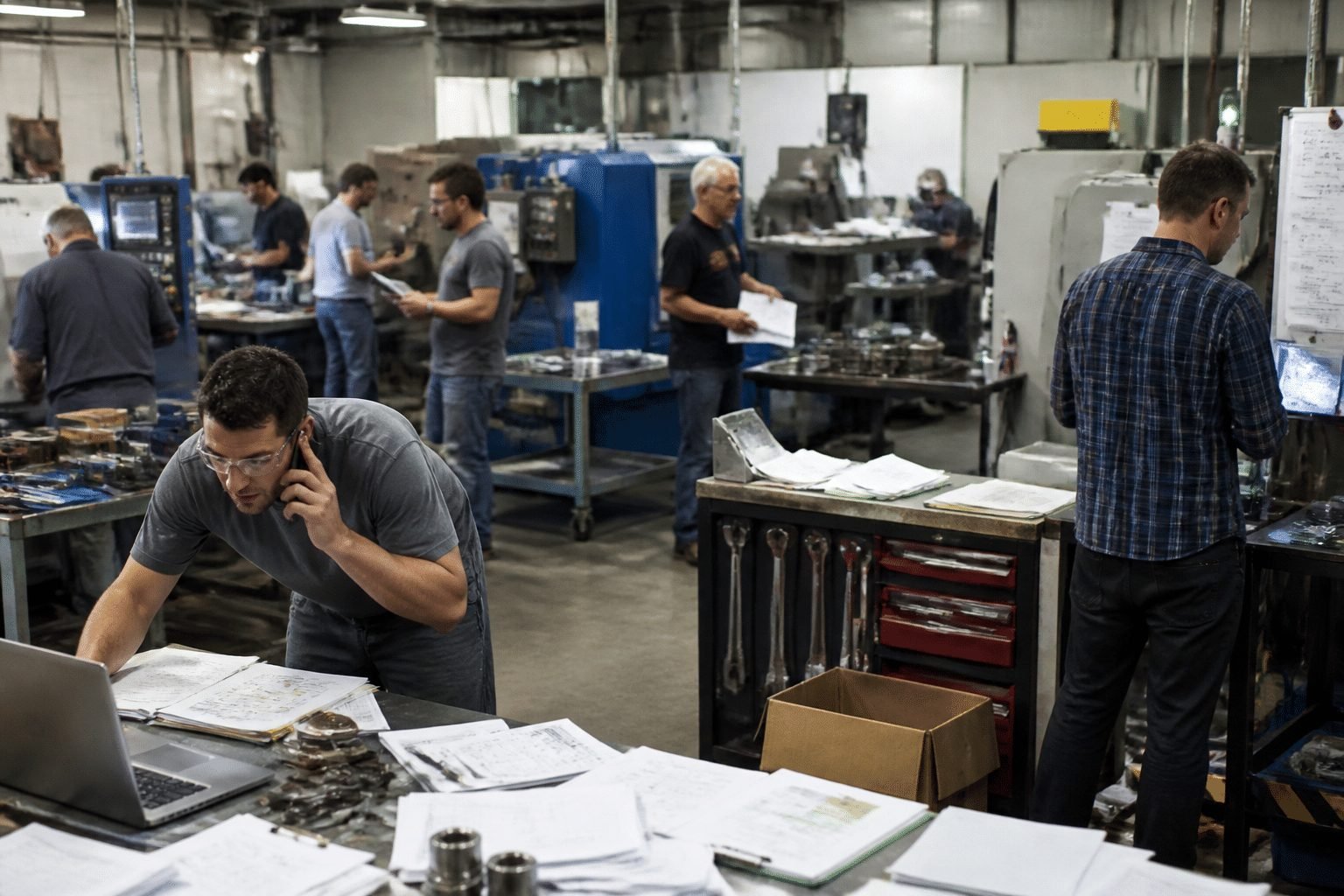
So the scramble starts. Someone digs through an Excel sheet that was last updated in March. Someone else scrolls WhatsApp, hunting for that drawing a dealer sent two months ago. The price? It lives in Tally, or maybe in the owner's head. By the time you reply, it's the next afternoon. And the buyer has already ordered from a competitor who answered in an hour.
Sound familiar? I'd bet it does.
Here's the sting. You didn't lose because your part was worse or your price was higher. You lost because you were slow. An Aleran report from 2025 found that 70% of manufacturers still take more than a day to deliver quotes, and 86% said they'd lost customers because of slow or manual quoting. (That's about quoting in general, not only spares, but the pattern is the same.)
Now picture the other side. Your buyer opens a page, types the machine model, sees the exact part on a diagram, checks stock and their own price, and places the order. No calls. No waiting. That's what a spare parts ordering portal does. It isn't a brochure website. It's a working front desk that never sleeps.
And buyers are starting to expect it. A 2025 B2B buyer report of 900+ senior decision-makers found that 84% called self-service tools critical when picking a vendor.
So here's what we'll do in this article. We'll look at how a B2B ordering platform for manufacturers goes well beyond a simple website. For Indian and international MSME manufacturers, it can become a real driver of efficiency, customer loyalty and profit. Let's start with what the old way is quietly costing you.
The Hidden Costs of Managing Spares with Tally, Excel, and WhatsApp
Tally, Excel and WhatsApp feel free. They're familiar, and nobody needs training. But "free" is a funny word when it's quietly draining your business every week.
Money Leaks Out in Two Directions
First, there's the order you never got. A quote that takes two days, or goes out with last quarter's price, often goes to someone else. You rarely hear about those losses. The buyer just stops calling.
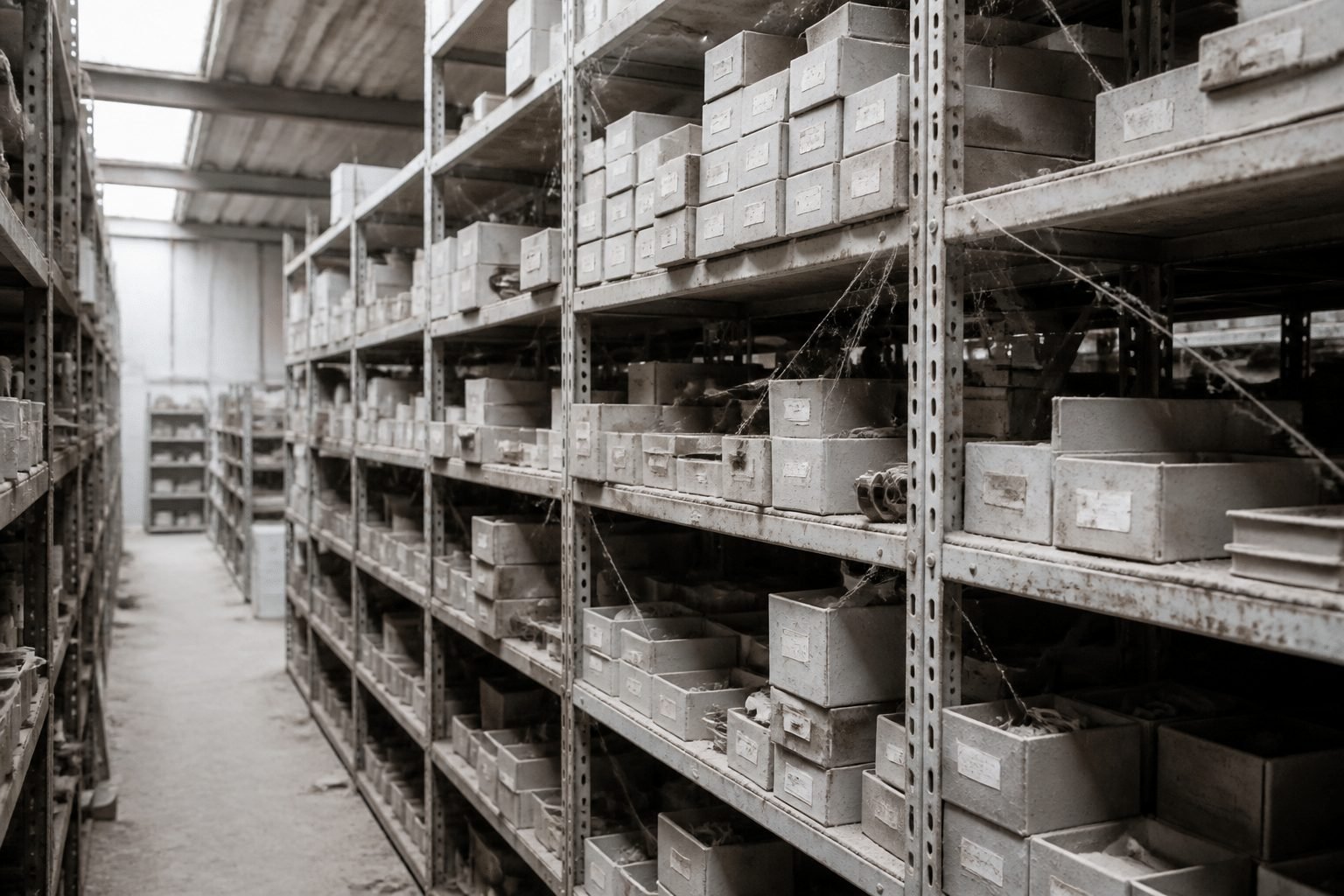
Then there's cash sitting on the shelf. When nobody can see real demand by part number, people play it safe and overstock "just in case." SPARETECH's 2025 survey of 300 manufacturing executives found that 22% of spare parts inventory had gone unused for more than five years. Picture a fifth of your spares stock gathering dust. Meanwhile, the one part a customer actually needs is out of stock.
Locus Robotics CFO Dustin Pederson put it simply in CFO.com this August: "Inventory is cash sitting on the shelf." Hard to argue with that.
Your Best People Become the Help Desk
Here's the part that hurts the owner most. Every "Is this part in stock?" call lands on the same two or three people. Your store keeper. Your sales coordinator. And, let's be honest, you.
One sales admin benchmark says 32% of sales reps spend more than an hour a day on manual data entry. (That's sales reps in general, not spares desks specifically.) But I'd guess your team is in the same boat, retyping WhatsApp messages into Tally and then into Excel again.
That's how you become the bottleneck. You can't leave for a week because the answers live in people's heads. Those same people could be chasing bigger customers, or fixing the process itself.
What It Does to Your Credibility
Large customers notice slow answers fast. They also notice when the stock figure you gave them yesterday turns out to be wrong today.
According to NetSuite's manufacturing customer experience review, 29% of customers in PwC's 2025 survey stopped buying from a company because of a poor experience. McKinsey's aftermarket research found the same pattern. Customers with poor service churned faster and bought fewer services.
No status updates. No tracking. Just "I'll call you back." That makes a solid manufacturer look like a small shop, and OEM partners remember it.
The Leaky Bucket at a Glance
The drain | What it looks like day to day | What it costs you |
|---|---|---|
Lost orders | Quotes that take a day or more, wrong prices | Revenue that goes to faster rivals |
Wasted staff time | Repeat calls, retyping data across three tools | Your best people stuck on low-value work |
Excess inventory | Guesswork stocking, dead parts next to stock-outs | Working capital you can't free up |
Damaged reputation | No live stock or order status for customers | Trust lost with OEMs and big buyers |
Four leaks, one bucket. So what's the fix? First, let's get clear on what a real portal is (and what it isn't).
What Exactly is a Spare Parts Ordering Portal? (And How It Differs from a Basic Website)
Think of it as a secure login page where your dealers, OEMs and end customers can serve themselves, any hour of the day. They find the part, see their own price, check stock and place the order. And it talks directly to the systems you already run.
That last bit matters most. A real portal connects to your ERP, your inventory and even Tally. Tally's own integration guide explains that TallyPrime can exchange data with outside applications, so the portal reads your live numbers instead of a copy someone typed last month.
How the Data Moves
Here's the simple picture:
Layer | What lives here | What flows |
|---|---|---|
Your back office (Tally / ERP / inventory) | Stock, price lists, customer accounts, invoices | Sends live stock and prices out, takes orders in |
The spare parts portal | Catalog, diagrams, login, cart, order status | Sits in the middle and keeps both sides in sync |
Dealer, OEM, end customer | Searching, ordering, tracking | Places orders and checks status without calling |
Two-way traffic. No retyping.
What It Is Not
I've seen plenty of manufacturers call something a portal when it isn't one. So let's clear that up.
A "Contact Us" form. That just turns a phone call into an email. You still have to quote by hand.
A WhatsApp group. Fine for a quick chat. Terrible for price lists, order history or anything that needs a record.
A B2C-style public shopping cart. One public price for everyone doesn't work when your dealer gets 25% off and a key OEM has its own contract rate.
This is a B2B tool. Every buyer logs in and sees their own world.
Built for the Messy Stuff
Here's where a basic website simply gives up. Your real business has customer-specific prices, dealer discounts, credit limits and machines with hundreds of parts. A portal handles all of that. The buyer picks a machine model, clicks on an exploded diagram, and orders the exact part. (No more guessing from a blurry photo on WhatsApp.)
Take Fomaco's dealer portal. It reportedly shows live stock and customer-specific pricing, and sends orders into Microsoft Dynamics 365 with no manual step.
So what should a good one actually do? Let's get into the features that matter.
5 Must-Have Features of a Portal Built for Manufacturers
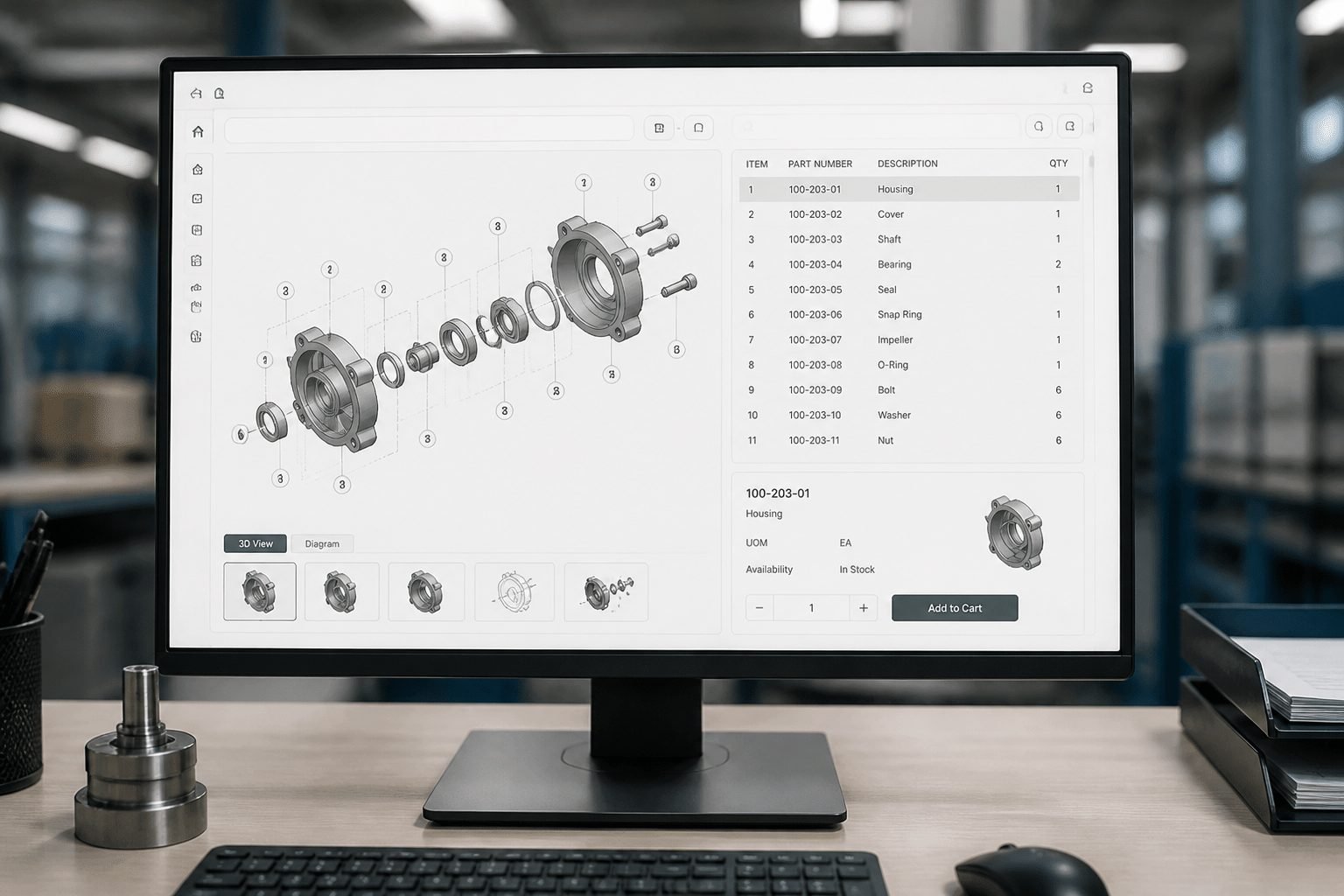
Not every portal is worth your money. Some are just a pretty catalog with a login box. Here are the five features I'd refuse to skip, in the order your buyers will notice them.
Finding the Right Part at the Right Price
1. Real-time stock and customer-specific pricing
This one kills the Thursday evening scramble. The portal reads live stock from your ERP or Tally, and it shows each buyer their own price the moment they log in. Your dealer sees his 25% discount. Your OEM sees its contract rate. Nobody waits for a quote, and nobody gets last quarter's number by mistake.
2. Interactive schematics and visual search
Here's where the portal beats a PDF price list by a mile. The buyer picks a machine model, opens an exploded diagram built from your Bill of Materials, and clicks the exact part. It goes straight into the cart.
No more "it's the small round thing near the shaft." Wrong-part orders drop because people choose by sight, not by guesswork. Hard numbers for portals are scarce (I won't pretend otherwise). But one 2025 study on spare parts order picking reported an 88.86% drop in picking mistakes after the workflow was cleaned up. That was warehouse picking, not a portal, so treat it as a hint, not a promise.
Letting Customers Help Themselves
3. 24/7 order history and shipment tracking
Half your calls are probably some version of "Where's my order?" A good portal answers that without a human. Customers see past orders, reorder in two clicks, check current status and follow the shipment.
One customer portal analysis described a building-materials distributor that cut order-status calls by 72% after launching self-service. That's one case, not an industry average. Still, it shows where the phone time goes.
4. Role-based access for dealers, technicians and big clients
A dealer shouldn't see an OEM's contract price. A service technician may only need diagrams and part numbers, not invoices. Role-based access lets you set who sees what, down to the catalog, the price list and the credit terms.
It also protects you. Dealer margins stay private, and each user gets a clean screen with only what's relevant to them.
Keeping the Tools You Already Have
5. Connection to your existing ERP and Tally
This is the feature that calms nervous owners. A solid portal doesn't ask you to throw out Tally or your ERP. It plugs into them. Tally's integration guide lists HTTP, XML and JSON as ways to exchange data with outside applications. Where the old system is too stubborn for that, scheduled file exchange works as a backup.
The result is one source of truth. Orders land in your system without retyping, and stock updates flow back out. Cluxn builds this way on purpose: the portal fits around your operations, not the other way around. And if you've been burned by a vendor before, a no-replacement approach also makes lock-in far less scary.
Manual vs. Portal: The Day-to-Day Difference
Task | Manual process | Portal-enabled process |
|---|---|---|
Checking stock | Call the store keeper, who checks Excel or walks the shelves | Buyer sees live stock from your ERP in seconds |
Generating a quote | Pull price from Tally, add discount, type it into email or WhatsApp (often 1 to 3 days) | Correct price shows on login, order goes in directly |
Finding the right part | Blurry photos and back-and-forth messages | Click the part on an exploded diagram |
Tracking an order | Buyer calls, someone checks, someone calls back | Buyer checks status any hour, no call needed |
Updating records | Retype the same data into Tally, then Excel | Order flows into your system once |
Five features, one goal: take your people out of the middle of every small question. Next, let's look at what that does for the bigger picture, meaning the deals you win and the cash you free up.
The Strategic Impact: How a Portal Helps You Win Bigger Deals and Free Up Cash

Fewer phone calls is nice. But it's not the real prize. The bigger win shows up in your bank balance and in the deals you land.
Turning Dusty Stock Into Cash
Most owners can't say how much money sits in slow parts. It's a guess. A study in the International Journal of Production Research described one industrial OEM with 1,630 low-demand parts worth more than €22 million. Their forecast reorder value over five years? Only €95,000. Ouch.
A portal fixes the blind spot because every order is recorded by part number, customer and date. After a few months, you can see what moves and what just sits there. Then you can stop reordering the sleepers, offer them to dealers at a better price, or bundle them into service kits.
Here's how that shows up in your cash cycle. (These are directional changes, not promised numbers. Every plant is different.)
Cash Conversion Cycle | Before the portal | After the portal |
|---|---|---|
Days of inventory | Guesswork stocking, dead parts and stock-outs together | Stock levels follow real demand by part |
Days of receivables | Quote, order and invoice wait on calls and retyping | Orders land clean, so invoices go out sooner |
Cash tied up in spares | Nobody can put a number on it | Slow movers are visible and can be cleared |
No magic here. Just visibility, and visibility frees cash.
Becoming the Supplier OEMs Prefer
Big customers don't only compare price. They compare how easy you are to work with.
One 2026 industrial equipment supplier guide says buyers now expect digital procurement portals, live inventory visibility and ERP compatibility. Another OEM scorecard from 2026 gives 15% of the supplier score to supply-chain management, which covers inventory systems and electronic purchase-order handling. A portal won't earn that whole 15% alone. But it moves you in the right direction.
Audits get easier too. Order history, price records and delivery status sit in one place, not in someone's WhatsApp chat. When an OEM auditor asks "show me last year's orders," you click. You don't panic.
And your dealers notice. A clean dealer ordering portal makes you the supplier they reorder from first.
Finally Knowing the Real Numbers
Here's the part second-generation owners tell me they want most: answers without asking three people.
Once orders flow through the portal, you can see:
Which parts sell most, and which barely move
Which customers reorder often, and who has gone quiet
Which machine models drive repeat demand
What to stock before the next busy season
I'll be honest. I couldn't find a hard average for how much a portal improves forecasting, so I won't invent one. What I can say is that forecasts built on your own order history beat gut feel.
Imagine an MD saying it like this:
"For years I stocked what I felt would sell. Now I stock what customers actually ordered last quarter. I sleep better."
That's a made-up quote, but it's the feeling many owners describe. And that feeling is the point.
Of course, none of this helps if the rollout scares your team or your wallet. So let's talk about how to start without the drama.
Overcoming the Fear: A Practical Roadmap to Implementation
Let's talk about the elephant in the room. You've probably been burned before.
Maybe a consultant took the advance and vanished halfway through. Maybe an ERP got installed, and now it runs at 30% while everyone quietly goes back to Excel. I get it. After that, anyone who says "portal" sounds like trouble.
Good news: a portal doesn't have to be a big bang. It can start small, and it should.
Start Small So a Mistake Can't Hurt You
The safest way in is a pilot. Pick your top 5 dealers, or a single product line, and launch only for them. If something breaks, five friendly customers see it, not five hundred.
How long does it take? For a focused first release, plan on roughly 16 to 24 weeks. One spare-parts rollout model puts data preparation in weeks 1 to 6, core launch in weeks 7 to 12, and extra features in weeks 13 to 18. Your own timeline will shift with how messy your parts data is. (It's usually messier than owners think.)
Here's the simple version of the roadmap:
Phase | What happens | What you get |
|---|---|---|
Phase 1: Data and systems sync | Clean part numbers, link machines to parts, connect the portal to Tally or your ERP | A working catalog for your top machines and a live stock and price feed |
Phase 2: Pilot user group | Open the portal to 5 dealers or one product line, keep phone and WhatsApp ordering running alongside | Real feedback and proof the portal saves time |
Phase 3: Full rollout and training | Add more dealers and products, train staff, track who actually logs in | A live portal for the whole customer base |
Notice what stays on in Phase 2. Your old way of taking orders. Nothing gets switched off until the new way has earned it.
Make Your Team Want It
Now the harder part. Your ops manager or store keeper might be the quiet blocker. Honestly, I don't blame them. New software usually means more work for them first.
So don't sell it as a system. Sell it as fewer interruptions. No more frantic "is this in stock?" calls. No more retyping WhatsApp messages into Tally. A 2026 survey of frontline manufacturing workers found that 68% said poor communication affected how well they did their jobs. So tell them early, and tell them plainly what changes and what doesn't. They still handle the tricky orders, the technical advice and the customer relationships.
A simple training plan works better than a long one:
Pick one floor champion. Someone your team already trusts, not the newest hire.
Train by task. Show "find a part," "check stock" and "track an order." Skip the menu tour.
Give them a one-page cheat sheet. Pin it near the sales desk.
Check in after two weeks. Ask who's stuck and fix the top annoyance first.
And make that first experience faster than the old way. If the portal adds steps, people drift back to the phone.
Keep Tally, Keep Your ERP
Here's the fear that matters most: lock-in, and being sold something you don't need. The fix is a partner who builds around what you already own.
A good setup reads from Tally or your ERP and writes orders back, so you're not ripping anything out. That respects the money you've already spent. Cluxn works this way on purpose, so the portal fits your operations instead of replacing them.
Before you sign anything, ask three questions:
Do I keep Tally and my current ERP?
Who owns my parts data if we part ways?
Can we start with a pilot and stop if it doesn't work?
If the answers are fuzzy, walk away. Clear answers? You're probably talking to the right people.
So you know the fears, and you know the plan. One thing's left: where this takes you.
Stop Being the Bottleneck, Start Building Your Legacy
Picture that same Thursday evening again. It's 6:40, and a buyer needs a gearbox spare by morning. But this time your phone stays quiet. He logs in, finds the part on a diagram, sees his contract price and places the order. You're having dinner.
That's the whole shift. You go from a reactive, chaotic desk to a calm, professional sales channel that works while you sleep. And it doesn't take a rip-and-replace project to get there. A good spare parts ordering portal sits on top of Tally or your ERP, starts with a small pilot, and keeps your old ways running until the new one proves itself.
Here's what you actually get back:
Freedom. Answers stop living in three people's heads, so you can leave for a week and the business keeps moving.
Confidence in your numbers. You see what sells, who reorders and what's gathering dust, without asking anyone.
Credibility. Big OEMs see a supplier with live stock, clean records and order tracking. That's a modern operation.
Something worth handing over. A second-generation MD wants to inherit a system, not a pile of WhatsApp chats.
The gap is already opening. The Manufacturing Leadership Council's 2026 smart factory survey found that 43% of manufacturers now see digital transformation as a competitive advantage, and over 90% plan to hold or raise their investment. Your rivals aren't standing still. (I'm not saying that to scare you. Just so you know where the road is heading.)
Not Sure Yet? Good. Let's Talk It Through.
I don't expect you to decide tonight. You've probably been burned before, and a bit of doubt is healthy.
Ready to see how a portal fits your operation without disrupting it? |
|---|
Schedule a 15-minute diagnostic call. No sales pitch, no demo script. We'll map your current process, find the biggest bottleneck, and tell you honestly whether a portal makes sense for you. Leave with a clear picture, whether you work with us or not. |
Bring your Tally setup, your messy Excel sheet, even your busiest WhatsApp group. Cluxn builds around what you already own, so there's nothing to rip out and no lock-in to worry about. Book your 15-minute diagnostic call with Cluxn and start with one honest conversation.